
Key Takeaways
- A secure data center decommissioning process requires careful planning, compliance, and documentation.
- NIST 800-88 data destruction standards are essential for secure server decommissioning.
- Proper asset recovery and chain of custody tracking can reduce risks and maximize value.
- Certificates of data destruction provide proof of regulatory compliance.
- Failing to follow a thorough checklist can increase costs and expose sensitive data.
Organizations are under increasing pressure to upgrade, consolidate, or retire data centers as technology advances and regulations become stricter. Knowing how to decommission a data center securely is now crucial for businesses needing to manage risk and protect sensitive information. The data center decommissioning cost depends on many variables, including site size, equipment volume, compliance needs, and logistical complexity.
According to Tom’s Hardware, U.S. data centers are projected to consume 20% of the country’s electricity by 2035. This statistic highlights the scale involved and why responsible shutdowns and asset recovery are so important. Many organizations underestimate the detailed steps, from asset documentation and secure data destruction to logistics and compliance validation. This step-by-step guide covers the entire secure decommissioning process, so you can maintain compliance, avoid costly mistakes, and capture maximum value from outgoing assets.
Phase 1: Pre-Decommissioning Planning and Asset Discovery
A secure decommissioning project begins well before you remove hardware or destroy data. Careful planning, complete asset discovery, and thorough documentation form the base of an effective process. Missing or skipping these steps can leave inventory gaps, create legal risks, or disrupt IT operations. Before you send in a technician or unplug equipment, make sure all procedures are clear and every moving part is under control.
Data Center Decommissioning Checklist
A project’s success starts with a detailed data center decommissioning checklist. This should cover steps from project scoping and stakeholder notification to documentation, risk assessment, and vendor coordination. Identify all stakeholders, IT, compliance, facilities, and external service partners, early. Make sure everyone understands the project goals, timelines, shutdown windows, and regulations involved. Address any business continuity needs, such as systems that must stay online until the last minute. A solid checklist includes a compliance review to meet all local and industry regulations, legal consultation on retention policies, and evaluation of backup and DR plans. Assign roles, set escalation paths, and lay out reporting requirements. Confirm insurance coverage for all on-site work and asset transit. Early risk assessments, with plans for potential issues, are essential for a smooth process.
Asset Inventory
Accurate asset inventory is essential for compliance, security, and financial recovery. Start by auditing every physical and virtual asset in the facility, servers, storage, networking gear, cables, power units, cooling controls, and backup media or tapes. Use tools like Lansweeper or ServiceNow Asset Management to scan for connected devices and check these against manual audits. Record all identifying info: manufacturer, model, serial number, purchase date, and asset condition. Include software licenses, firmware versions, and service agreements. Remember to inventory non-IT items like racks, PDUs, and monitoring gear. Clearly tag all assets for tracking during shutdown, removal, and transport. This step ensures nothing is left behind or lost during decommissioning.
IT Infrastructure Shutdown
Orderly shutdown of IT infrastructure preserves data integrity and prevents equipment damage. Schedule shutdowns outside business-critical windows and notify all affected teams or partners. Disable incoming network traffic to reduce risk. Power systems down methodically, starting with non-essential services and finishing with critical infrastructure after backups and replication are done. Document every shutdown command and any error messages for troubleshooting and compliance purposes. Disconnect servers, storage, networking gear, and power supplies only after verifying that all data has been fully evacuated. This careful approach protects against data loss, costly mistakes, and unnecessary downtime as you move to the next decommissioning phases.
Phase 2: Data Sanitization and Destruction Protocols
Data destruction is the most critical phase, as incomplete or improper handling can cause breaches with severe legal and financial consequences. Organizations must meet established standards that prove due diligence and compliance, especially in regulated sectors. A methodical, standards-based approach is non-negotiable for this stage.
NIST 800-88 Data Destruction
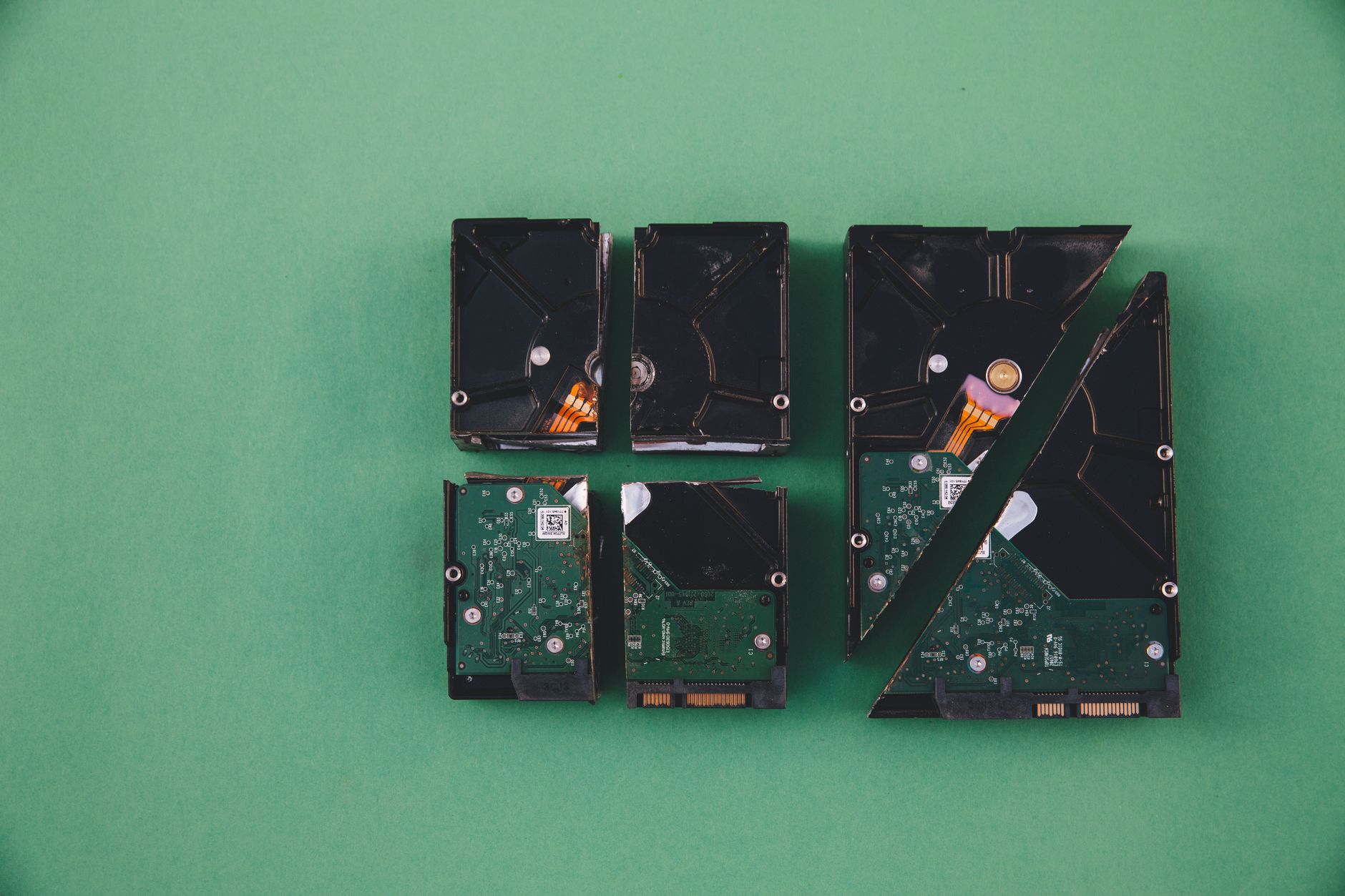
NIST 800-88 is the leading standard for secure data destruction. Published by the National Institute of Standards and Technology, it defines methods that make data unrecoverable, a requirement for HIPAA, GDPR, SOX, and other regulations. NIST 800-88 outlines three main categories: Clear (software overwrite), Purge (physical or logical destruction such as degaussing or cryptographic erasure), and Destroy (physical destruction like shredding or pulverizing drives). Begin by identifying all types of storage media, HDDs, SSDs, flash drives, tape, and optical disks, and apply the recommended procedure for each. Use software overwrites for drives being reused, degauss tapes, and shred equipment destined for disposal or recycling. Keep a detailed log for every drive: serial number, sanitization method, date, and the person responsible. Following the NIST 800-88 data destruction protocol ensures compliance and supports any audit or internal review.
Secure Server Decommissioning
Documented procedures tailored to each hardware type and data sensitivity are vital for secure server decommissioning. Use software-based wipe tools like Blancco, Certus, or WhiteCanyon WipeDrive for assets that will be reused or resold. For sensitive data or failed drives, arrange on-site physical destruction using industrial shredders or crushers. If hardware leaves the facility for offsite destruction, lock it in tamper-proof containers and track every movement with detailed chain-of-custody logs. All destruction activities should be observed or recorded on video, and a certificate of destruction issued for every processed device. For organizations with cloud or hybrid environments, make sure all VMs and backups are also purged. Secure server decommissioning prevents residual data exposure and allows safe recycling or repurposing of hardware.
Phase 3: Hardware Dismantling, Unracking, and Logistics
Once data is destroyed and validated, you can begin dismantling hardware and managing logistics. These steps require careful coordination for safe removal, packing, transport, and processing of racks, servers, and other components. Good planning can help avoid accidents, reduce downtime, and address the growing e-waste challenge from large-scale data center shutdowns.
Here’s a table outlining key steps and considerations for data center hardware removal and server rack removal:
| Step | Description | Best Practices | Environmental Note |
|---|---|---|---|
| Preliminary Assessment | Site walk-through and risk identification by qualified staff | Photograph and document all assets for record | Separate hazardous materials for safe handling |
| Labeling & Documentation | ID tags affixed to equipment, racks, and cables | Use color-coded labels for asset grouping | Avoid mix-ups during packing/disassembly |
| Power Disconnection | Shut off PDU circuits, UPS, external power feeds | Follow LOTO (lockout-tagout) procedures | Prevents fires, shocks, equipment damage |
| Server Rack Removal | Unbolt and safely lift racks using proper equipment | Partner with certified riggers if required | Racks recycled or reused wherever possible |
| Hardware Packing | Protect servers, switches, PDUs with foam, antistatic wraps | Inventory checklist at each stage | Separate working units for resale, e-waste for recycling |
| Coordination with Recycling Partners | Schedule pick-ups, ensure environmental certifications | Verify chain of custody with all carriers | E-waste processed to R2 or e-Stewards standards |
| Site Restoration | Remove debris, patch floors, close out utilities | Document the final state for audits | Leave site clean and ready for repurposing |
TechRadar reports that the global AI and data center boom could generate up to 617 million tonnes of e-waste by 2050. Using proven logistics strategies for efficient hardware removal and server rack removal helps limit environmental impact and can improve project value.
Phase 4: Chain of Custody, Recycling, and Value Recovery
After removing hardware, safeguarding assets through chain of custody tracking and responsible recycling is essential. Overlooking these steps increases the risk of data leaks, compliance violations, and missed financial opportunities. Focus on these best practices for the final stage of data center decommissioning:
- Chain of custody tracking documents each asset as it moves through packing, shipment, destruction, and recycling. Use unique identifiers and real-time custody logs to maintain visibility and prove compliance, especially for regulated data or hazardous equipment.
- Partner with certified recyclers who comply with R2, e-Stewards, or WEEE guidelines. Demand audit trails, recycling reports, and transparency at every handoff.
- Pursue data center asset recovery by identifying items for resale, reuse, or donation. Strategies include remarketing high-value servers, recycling precious metals, and refurbishing racks and support gear. The value recovered can offset total project costs.
- Secure a certificate of data destruction for every drive, tape, or storage device. These certificates prove compliant data destruction and help close out liability. They are often required in audits, legal reviews, or security checks.
- According to Tom’s Hardware, more than 75 U.S. data center build-outs worth $130 billion have been delayed or blocked this year. This shows the stakes for compliance and the vital need for traceable, responsible end-of-life practices.
Focusing on these details maximizes compliance and financial returns from your outgoing assets.
Understanding the Costs of Data Center Decommissioning
Budgeting is crucial, as the data center decommissioning cost can be significant and highly variable. Major drivers include labor, destruction methods, logistics, compliance, and recovery efforts. Understanding these factors helps you set expectations and avoid surprises. The table below breaks down the typical cost drivers and how scale impacts spending:
| Cost Factor | Description | Approximate Cost Impact | Notes on Scale/Energy Use |
|---|---|---|---|
| Labor & Project Management | Staff time for planning, inventory, coordination | 20-35% of budget | Large sites require bigger, specialized teams |
| Data Sanitization & Destruction | Methods for rendering data unrecoverable | 10-20% | Specialized equipment/software needed for full compliance |
| Hardware Removal & Transport | Physical removal, packing, shipping, insurance | 15-25% | More equipment/higher density means higher cost |
| Asset Recovery & Recycling | Sorting, remarketing, recycling, environmental fees | 10-20% | Responsible recycling adds upfront but reduces disposal costs |
| Compliance & Documentation | Legal, audit, certification, record-keeping | 5-15% | Regulated sectors see higher costs |
| Energy Usage & Utilities | Power for cooling, shutdown, testing | Varies | Ongoing costs decline sharply after shutdown |
| Contingencies & Surprises | Unplanned remediation, lost assets, fines | 5-10% | Better planning reduces these costs |
According to Axios, a new data center at two-thirds capacity uses enough electricity to power 54,000 homes. This makes it clear that size and energy needs drive both operational and decommissioning costs. Factoring these into your forecasts ensures thorough financial preparation and better outcomes.
Regulatory Compliance and Industry Standards
Compliance is essential for risk management throughout decommissioning, especially with the surge in regulations. Hundreds of local jurisdictions have passed new rules or moratoriums, making legal and industry standards critical from planning to final asset disposal. Non-compliance can stall or increase the cost of projects, or even trigger penalties.
- NIST 800-88 is the primary standard for verifying that all data has been permanently erased from storage devices before assets leave your control.
- GDPR applies to personal data for EU residents and requires complete erasure and clear audit records.
- HIPAA enforces strict protocols for destroying protected health information in healthcare and research environments.
- Certificates of data destruction are formal records from certified providers, listing each asset, the destruction method, and the date. Keeping these is vital for audits and legal purposes.
- Tom’s Hardware reports that over 500 U.S. jurisdictions now have moratoriums or bans on data centers, mainly due to environmental and compliance issues. This rapid change makes proactive, standards-driven planning even more important, especially if your site operates across multiple jurisdictions.
By following both global and local protocols, you minimize risk, make site closure smoother, and maintain trust with auditors and stakeholders.
Common Mistakes and How to Avoid Them
Even experienced IT teams can make mistakes during decommissioning, leading to data breaches, legal risk, or extra costs. Recognizing these risks and applying proven strategies helps you avoid the most frequent problems:
- Overlooked Assets: Outdated inventories can leave behind equipment or data. Solution: Use a mix of manual and automated inventory checks and cross-check lists before final sign-off.
- Incomplete Data Destruction: Drives or tapes sometimes escape proper sanitization. Solution: Always follow NIST 800-88 and keep full audit logs.
- Inadequate Documentation: Poor record-keeping can block asset disposition or breach compliance. Solution: Assign a documentation lead to manage logs, photos, and chain-of-custody records.
- Improper Recycling: Dumping electronics in landfills or using uncertified recyclers harms the environment and your reputation. Solution: Use certified, transparent recycling partners for every asset.
- Rushed Hardware Removal: Unplanned removals can cause damage or injury. Solution: Pre-schedule removals, use professional riggers, and enforce strict safety measures.
Learning from these common mistakes helps safeguard both your data and your organization’s reputation.
Maximizing Value from Asset Recovery
A well-run decommissioning project can unlock significant value through data center asset recovery. By taking a strategic approach, you offset costs and reduce environmental impact. The following steps help you maximize value and ensure that server rack removal supports your broader business goals:
- Audit every device to determine its resale, refurbishment, or parts value. Items under warranty, with strong specs, or from top brands typically command higher prices.
- Segment equipment by value: send high-demand items for resale, donate functional but obsolete gear, and direct e-waste to certified recyclers.
- Work with asset recovery firms specializing in IT remarketing and refurbishment. Request transparent pricing, references, and clear revenue splits.
- During server rack removal, review racks, cooling units, and PDUs for possible reuse or resale in bundles.
- Preserve asset value and buyer trust by ensuring secure data destruction and providing proper compliance documentation.
- Track post-sale prices and use analytics platforms like Arrow Electronics ITAD or Iron Mountain to guide future decommissioning projects.
Treating asset recovery as a key phase, not an afterthought, helps capture financial value and supports sustainability objectives.
Why Choose Silicon Lifecycle Stage for Secure Data Center Decommissioning
Selecting the right partner for data center decommissioning shapes your results in terms of cost, risk, and compliance. Silicon Lifecycle Stage delivers a focused approach to secure server decommissioning and complete project management:
- Teams at Silicon Lifecycle Stage use NIST 800-88 data destruction for every drive, providing full audit trails and thorough compliance documentation.
- The company uses strict chain of custody procedures, including RFID tracking and secure containers from facility to recycler or resale.
- Certified on-site hardware dismantling and server rack removal minimize staff risk and reduce project downtime.
- Clients receive certificates of data destruction for all processed media, meeting regulatory and contract demands.
- Long-standing relationships with certified recyclers and asset recovery partners maximize the resale value of IT equipment, racks, power supplies, and more.
- Recent customer reports indicate that Silicon Lifecycle Stage has helped major organizations recover over 30% of decommissioning project costs through asset recovery and recycling.
When you choose Silicon Lifecycle Stage, you gain a partner dedicated to a smooth, compliant, and financially responsible transition for your organization’s next stage. Learn more about Silicon Lifecycle Stage.
Frequently Asked Questions
1. What are the first steps in the data center decommissioning process?
Start with stakeholder engagement, compliance review, and a thorough asset inventory. Create a checklist and assign clear responsibilities so each phase is documented and meets business and legal needs.
2. How much does data center decommissioning cost in 2026?
The data center decommissioning cost in 2026 depends on facility size, amount of equipment, compliance needs, and whether you pursue asset recovery. Mid-size projects can range from several hundred thousand to millions.
3. What should be included in a data center decommissioning checklist?
A strong checklist covers asset inventory, compliance review, stakeholder notification, risk assessment, IT shutdown steps, hardware dismantling, data destruction, chain of custody tracking, and final audit documentation.
4. What is NIST 800-88 data destruction and why is it important?
NIST 800-88 data destruction sets standards for making data permanently unrecoverable. It is important because it supports legal compliance, helps prevent breaches, and supplies audit-ready records and certificates.
5. How do you safely shut down IT infrastructure during decommissioning?
Schedule shutdowns outside critical periods, notify all stakeholders, back up data, and power down systems step-by-step. Careful shutdowns prevent data loss and equipment damage.
6. What are the best practices for data center hardware removal?
Label all equipment, follow lockout/tagout safety protocols, use professional movers, and keep thorough documentation. Certified recycling or asset recovery partners ensure safe, compliant disposal.
7. How is server rack removal handled during decommissioning?
Server rack removal means unbolting racks, safely disconnecting cables, and using proper equipment for transport. Racks may have resale or recycling value, so professional handling is important.
8. What is data center asset recovery and how can it add value?
Data center asset recovery involves selling, refurbishing, or donating decommissioned equipment. By remarketing valuable items and recycling responsibly, you can offset project costs and support sustainability.
9. Why is chain of custody tracking critical for secure decommissioning?
Chain of custody tracking documents each movement and handoff of IT assets. This lowers the risk of loss or exposure and meets regulatory needs.
10. What is a certificate of data destruction and when is it required?
A certificate of data destruction is an official document issued after data is fully erased or destroyed. It is often required for compliance, serving as proof during audits or to address security concerns.
